Citrix Provisioning Server 5.6 SP1 “An unexpected MAPI error occurred.” when you try to change an image mode
Today we had the following error when we tried to change the image mode from “Private” to “Standard” or reversed: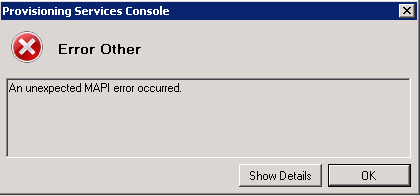
“An unexpected MAPI error occurred.”
Under the details Button the following info was displayed:
”Failed to map vDisk, no Driver. at Mapi.CommandsRun.CommandRunWithReturnMapDisk2.MapDisk(UInt32 localServerIntId, String remoteServerName, String diskName, String diskPath, UInt32 DeviceSerialNumber, UInt32 diskId, List`1 serverIps, UInt16 serverFirstPort)”.
The problem only occured when under the “Microsoft Volume Licensing” Tab the option “Key Management Service (KMS)” was activated: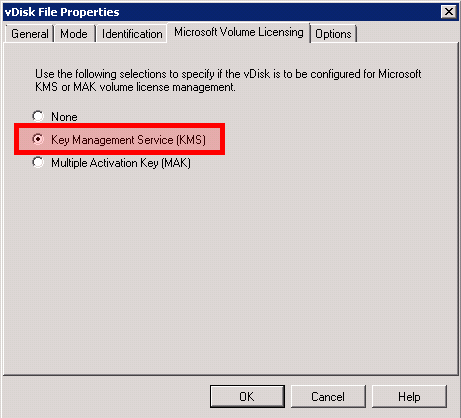
So if you want to change the “Mode” of a Vdisk from “Private to Standard (or reversed) just activate under “Microsoft Volume Licensing” the option “None” or “Multiple Activation Key (MAK)” – make your change and open again the “vDisk File Properties” and change back the “Licensing Option” to “Key Management Service KMS”.
Hopefully there will be a fix available in the next weeks.


 Jan Hendriks Blog
Same here seems to be a big issue, We are asking for a fix also.
Patrick
if “Microsoft Volume Licensing” Tab doesn´t appear????
It doesn’t appear? Is PVS 5.6 SP1 installed? It was a new function in SP1 (if i am not totally wrong).
This work around will not generate unique CMIDs.
This worked for me. Thanks
FYI – We are running Version: 6.0.0.1026